





Fewer data entry errors equate to fewer roadside inspection violations, minimizing the effect on your company’s safety record.
5 Differences Between Grandfathered AOBRDs and ELDs
Training on the operational differences between AOBRDs and ELDs is a critical component of the plan to help reduce the frustrations your drivers and operations department may experience on the first few days of your ELD launch.
June 24, 2019
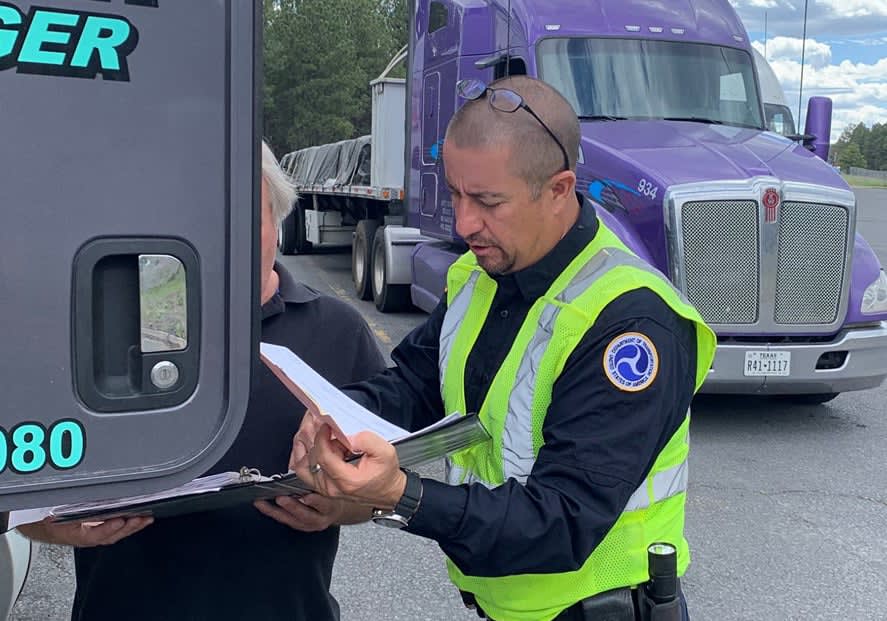
An inspector shows a driver how to transfer his hours of service log at roadside – something that you have to be able to do with ELDs that you didn't with AOBRDs.
Photo courtesy CVSA
3 min to read
Motor carriers operating grandfathered automatic onboard recording devices (AOBRDs) to record their drivers’ hours of service must switch to an approved electronic logging device (ELD) by Dec. 16, 2019.
With little time remaining, carriers that want to minimize stress should plan to make the change sooner rather than later. Training on the operational differences between AOBRDs and ELDs is a critical component of the plan to help reduce the frustrations that your drivers and operations department may experience on the first few days of your ELD launch.
Some of the more significant differences include:
1. Log-in Procedures
When a driver logs into an ELD, he or she is prompted to accept or reject unassigned driving time on the device. Any accepted time is integrated into the driver’s records. Rejected time must be addressed by the back office by either assigning it to a specific driver or explaining through an attached comment why it could not be assigned.
AOBRDs, on the other hand, do not require annotation of the unassigned driving time when it cannot be attributed to a specific driver. The time could be attributed, instead, to a ghost account, which is not allowed with an ELD.
2. Driving Status
AOBRDs allow the motor carrier to determine when an event is defined as driving (based on speed and distance traveled). But ELDs are more stringent and programmed to switch to the driving status when the vehicle reaches up to 5 mph unless the driver selects one of two categories: personal use or yard moves.
Typically, when using these two categories while operating an AOBRD, drivers must log out of the device and then edit the time as on-duty, not driving.
3. Editing Options
Unlike AOBRDs, an ELD system provides drivers with full editing rights, except for the automatic recording of all drive time. All other entries must be editable by the driver. Also, any edits made in the back office must be approved by the driver before becoming a part of his or her record.
Editing topics to reinforce with drivers include:
Acceptable/unacceptable edits,
How to make edits, and
How to accept or reject back-office edits.
4. Data Transfer
During a roadside inspection, ELD log data is transferred directly to the officer. Drivers are expected to know the device’s transfer method (telematic or local transfer) and how to use the options within the method. The officer has the option of asking the driver to display or print the logs.
With AOBRDs, the driver is only required to show the officer the display. If the officer wants a copy of the records, the driver or carrier has up to 48 hours to provide them through any means.
In the event of a DOT audit, back-office personnel must be trained on this same ELD data transfer method. An investigator will expect a carrier to forward the ELD records using one of the transfer methods.
5. Generic Accounts
ELD systems do not allow for the use of generic or “ghost” accounts. Each account must have an actual person assigned to it, except for the unassigned driving time account. Driver accounts must include the driver’s license number to validate the driver. This means that carriers need to develop procedures for dealing with movements made by drivers without ELD accounts, sich as mechanics or supervisors.
Create A Comfort Level Beforehand
Employees should be introduced to the equipment and its features before the day of conversion. This familiarity with your ELD will help reduce the number of entry errors. Fewer errors equate to fewer roadside inspection violations, minimizing the effect on your company’s safety record.
Subscribe to Our Newsletter
More Safety
Volvo Trucks Releases New Safety Recommendations for Traveling with Pets
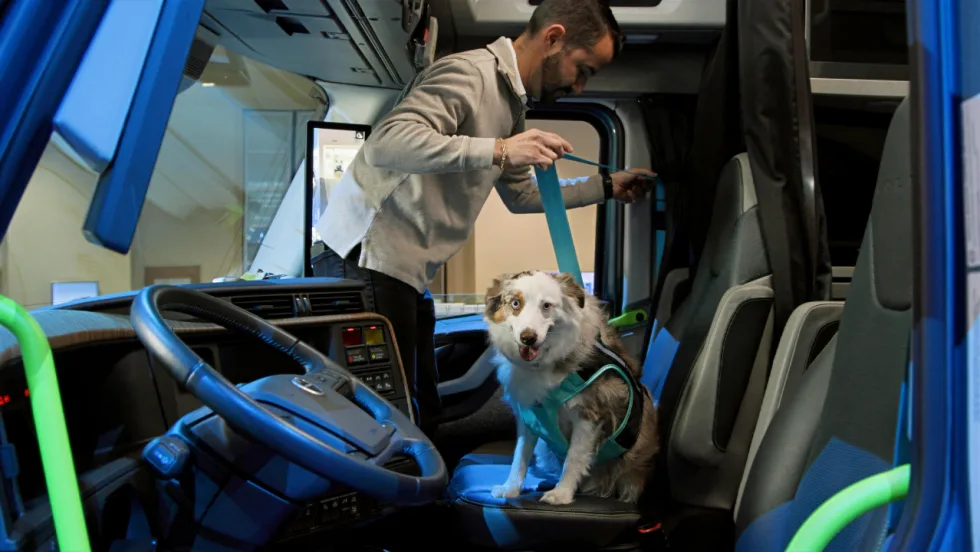
One of the most important recommendations for professional drivers traveling with pets is to ensure pets are properly restrained while the truck is moving. Other tips are available in the new guide from Volvo Trucks North America and Center for Pet Safety.
Read More →
API Issues Refueling Safety Guidelines
The American Petroleum Institute offers a list of safe vehicle refueling guidelines, including ways to avoid potential problems with static electricity discharges in fall, winter, and early spring.
Read More →
Winter Fleet Prep: Expert Tips to Keep Vehicles Running Smoothly
Cold weather can expose weak batteries, tires, fuel systems, and maintenance gaps fast. Use this winter fleet checklist to prepare trucks and drivers before temperatures drop.
Read More →
When a Work Truck Breaks Down, the Job Can Stop, Too
A work truck breakdown can stop more than the vehicle. Discover how payloads, jobsites, and specialty equipment change the roadside response.
Read More →
What Stronger Long-Term Fleet Service Partnerships Actually Require
Fleet service partnerships rarely fall apart all at once. Learn the three warning signs that trust is eroding and what fleets and providers can do before downtime, frustration, and lost revenue follow.
Read More →
Applause & TRUCE Software Partner to Improve Driver Safety Through AI-Powered Telematics & Employee Performance Management
Applause has integrated TRUCE driving metrics directly into its employee-first performance and safety platform that transforms mobile devices into AI-powered telematics.
Read More →
How Detroit Assurance with Active Brake Assist Works
Do you want to see what it is like to experience Detroit Assurance’s Active Brake Assist? In this video, Work Truck will put you in the cab to see how it all works and then hear more details from DTNA’s Mike Young.
Read More →
Get Left of Loss: A 5-Step Workplace Violence Prevention Framework for Fleet Operators
Violence risks do not stop at the driver’s door. Learn five practical steps fleets can take to spot threats early and protect workers before loss occurs.
Read More →
Sponsored•July 17, 2026
How Better Visibility Cut Speeding Violations by 48%
Fleet leaders don't need more data, they need clearer visibility into what the data is saying. This case study explores how one utility replaced speeding-event counts with a single metric — miles driven in violation — to strengthen safety and significantly reduce speeding violations.
Read More →
13 Safe Driving Tips for Commercial Vehicle Drivers
Make sure you are spending time on the road safely with these important tips.
Read More →