





Learn More: Geotab Teams With Nonprofit to Plan for Electric Freight
Geotab, GM Deliver Real-Time In-Vehicle Driver Coaching
Geotab, GM, and OnStar Business Solutions team up on a safety service which provides audible alerts to help encourage safer driving behaviors.
October 26, 2021

Geotab, GM, and OnStar Business Solutions team up on a safety service which provides audible alerts to help encourage safer driving behaviors.
Photo: Geotab
2 min to read
Geotab has announced it has been working with General Motors (GM) Fleet and OnStar Business Solutions to provide an in-vehicle coaching service via the Geotab Integrated Solution for GM. This new safety service delivers real-time spoken alerts to help keep drivers’ eyes on the road, promoting good driving habits and helping achieve improved fleet safety.
The driver feedback service is now included in the Geotab Integrated Solution for GM. The driver feedback service is designed to trigger events via audible alerts delivered through the vehicle infotainment system when certain driving conditions are met. It provides insights into specific driving behaviors to help create awareness and encourage safe driving habits by coaching drivers in real-time. Most Chevrolet, Buick, GMC, and Cadillac models 2015 or newer equipped with compatible OnStar can get access to this feature with activation of ‘GM Premium+Driver Feedback’ plan. With no additional hardware required, the solution is immediately available in the US.
The integrated driver feedback solution allows fleets and operations professionals to encourage safer driving and help reduce accidents with real-time driver behavior coaching, including:
Seatbelt alert: “Driver seatbelt unbuckled” audio message reminds occupants of an unlatched seatbelt and will remind the driver every 15 seconds until the seatbelt is latched.
Hard acceleration alert: “Hard acceleration detected” audio alert occurs within five seconds of such an event, with an intentional slight delay to avoid additional driver distraction.
Hard braking alert: “Hard brake detected” audio alert occurs for hard excessive braking, thereby improving the lifetime of the vehicle’s brakes. This audio alert occurs within five seconds of such an event with an intentional slight delay to avoid additional driver distraction.
Speeding alert above posted speed: “Speeding detected” audio alert is played in the vehicle for the driver once speeding is detected above the posted speed, plus the preset threshold for 15 consecutive seconds and is repeated every 15 seconds until the driver is within the posted speed limit plus preset threshold.
Speeding alert above maximum threshold: “Speeding detected” audio alert is played immediately once speeding is detected above the preset maximum speed.
More Safety & Compliance

The Difference a Word Makes in DOT Compliance
In fleet compliance, one word can change what’s required. Learn how FMCSR definitions help determine which rules apply to your trucks and drivers.

What Your Fleet's Brakes Might Be Telling You About Tailgating
Could frequent brake replacements reveal a driver following too closely? Learn how brake wear, driving habits, and maintenance costs connect.

Recalls You Need to Know About in November 2026
If you have Altec, Autocar, Battle Motors, Chrysler, Daimler Truck, Ford, General Motors, Kalmar, Mack Trucks, Paccar, Rivian, Terex, Toyota, or Volvo Trucks vehicles in your fleet, you should check these important recalls issued by the National Highway Traffic Safety Administration.
From Our Partners



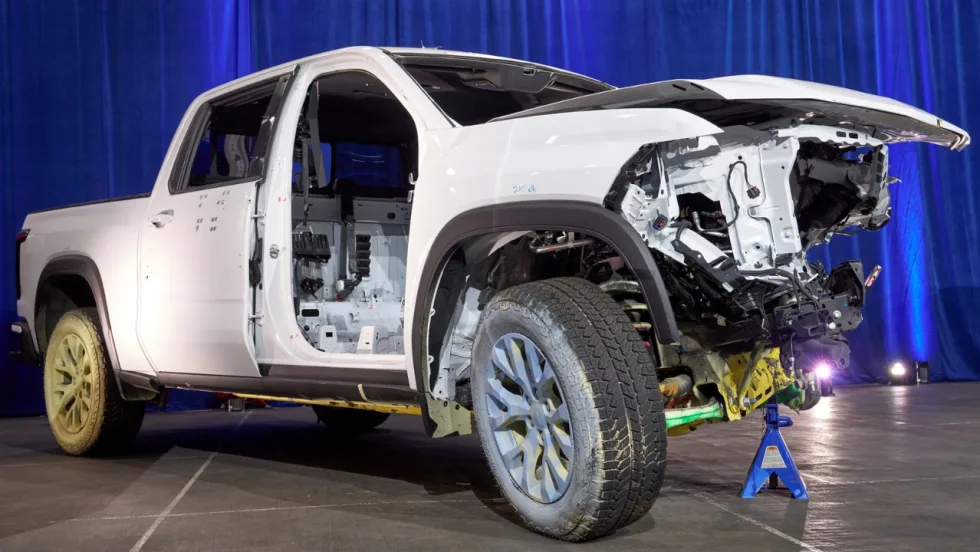
GM Runs 92,000 Virtual Crash Tests to Develop 2027 Chevrolet Silverado 1500
GM used 92,000 simulated crashes to evaluate the 2027 Chevrolet Silverado 1500's safety performance before confirming results through physical testing.

Thanksgiving Cargo Theft Risks Put Fleet Security in Focus
J. J. Keller shares cargo theft prevention tips for work truck fleets ahead of Thanksgiving, when parked vehicles and reduced staffing can increase security risks.
5 Winter Fleet Videos to Help Keep Trucks Running and Drivers Safe
From preventing cold-weather breakdowns to navigating icy roads, these five videos offer practical winter preparation tips for work truck fleets.

Navigating the Effects of Daylight Saving Time on Work Truck Fleets
Discover how daylight saving time impacts work truck fleets and get essential tips for fleet managers and drivers to navigate the "fall back" transition.

How Halloween Changes the Job for Work Truck Drivers
Truck traffic doesn’t take the same Halloween break as other drivers. What fleet managers should know about timing, neighborhood stops, and braking data.
Tips for Driving Safely on Halloween Night
This video features a reminder from the Connecticut Department of Transportation (DOT) and the Connecticut Police Chiefs Association, urging drivers to prioritize safety this Halloween.
Re-rating Gross Vehicle Weight Ratings (GVWR): Why and How it's Done
Sometimes, it is not in a fleet’s best interests to have a vehicle at a given GVWR. Changing the GVWR to a special value can be done, but the process is complicated.