



Related: McLeod & Vector Partner to Accelerate Fleet Operations
Taming the Paper Tiger
Digitizing documents can help fleet managers reduce costs and free up time to be more productive.
by Brian Belcher, Vector
June 26, 2020
Inefficiency comes at a cost. Industry studies have shown it costs companies an average of $20 in labor, supplies and overhead to file a single paper document.
Photo: Vector
5 min to read
Today, many of us run our lives off smartphones. You could say we have gone completely digital personally. And yet, the trucking industry is still very much stuck in the analog world. Every day, a typical fleet generates thousands of transactions relating to truck movement and operation on paper. So much, they often run out of space to store paper records and resort to stuffing them in old trailers or containers at the back of the terminal lot.
Other than the sustainability concerns with using so much paper, the problem with paper-based information systems is their cost and inefficiency. Paper records are “location-locked.” You have to have them in your hand to read them and they often may not be at arm’s reach when key operations personnel need to reference them.
Problems with Paper
A few additional concerns with paper-based information systems include:
They make it more difficult for teams to collaborate.
There are a lot more opportunities for data errors due to incorrect/illegible writing or typing.
They are hard to audit or search and correct mistakes.
All of this inefficiency comes at a cost. Industry studies have shown it costs companies an average of $20 in labor, supplies and overhead to file a single paper document. Put another way, one typical four-drawer filing cabinet costs $25,000 to fill and $2,000 a year to maintain.
Importance of Digitization
The solution is digitized records - converting all existing paper records to a digital form and having an efficient process to create all new information in a digital format. If it’s set up right, you can have years of information available at the click of a mouse. That’s the passive use-case - where you make a conscious decision to look up some information.
The active use-case is even more compelling. This is where you create customized work order flows so that digitized data from drivers, customers, maintenance departments, etc. is automatically analyzed by software and delivered to specific people at the right time. These types of intelligent workflows are already being adopted by the most progressive fleets and will eventually become an industry standard.
How to Get There
Getting to intelligent workflows takes a series of steps:
1. Become More Efficient
Look for scanning applications which can run on any mobile device so you aren’t investing in special scanning hardware. The app should be easy for drivers and mechanics to use and have good OCR (optical character recognition) capabilities. This will keep workers engaged and also reduces errors from trying to decipher poor handwriting.
Be aware that not all scanning solutions are the same. Vector spent a lot of time developing an OCR system which could reliably read even the most illegible handwriting. We also do things like crosschecking Bill of Lading or invoice numbers to make sure a driver hasn’t accidentally entered an incorrect number. This feature alone can be a huge timesaver for back-office personnel who can otherwise waste a lot of time tracking down documents which were incorrectly tagged or numbered.
2. Look for Expensive 'Information Silos'
Look for the most expensive “information silos” in your current business processes and focus on creating digital workflows for them first.
For most fleets, this is in billing and invoicing. Paper-based bills of lading or delivery confirmations take a lot longer to process than digital records. By setting up a workflow to send a digital delivery confirmation straight into invoicing software, you speed up invoicing and improve cash flow. You also reduce the chance of errors and omissions in billing which are more common in paper-based systems. The other obvious opportunity for digitization is in maintenance and safety records.
By having a driver enter maintenance and safety reports digitally, there is less work in the back office to stay in compliance and you have a much more searchable database of vehicle and driver records.
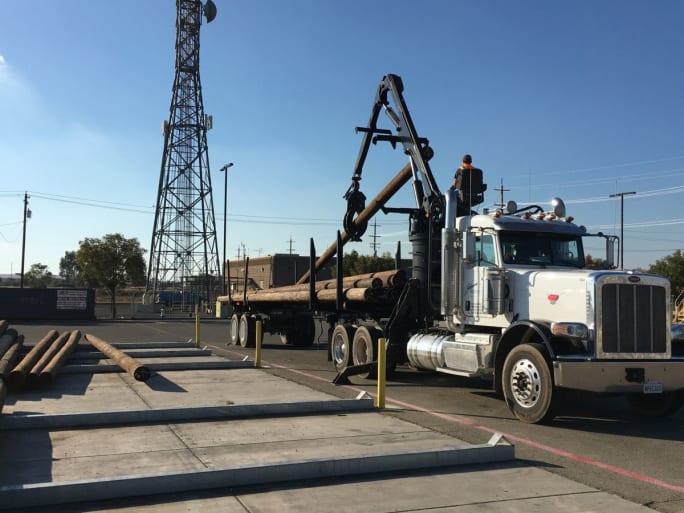
By having a driver enter maintenance and safety reports digitally, there is less work in the back office to stay in compliance and you have a much more searchable database of vehicle and driver records.
Photo: Vector
The Bottom Line
Once you have your basic processes digitized and integrated with back-office software, you can move on to more advanced workflows to gain even more efficiency and productivity. An intelligent work flow essentially is an automation of a manual process to remove human input and allow back office personnel to focus on more important tasks such as customer relationships or driver relationships. The goal is to remove the flow of paperwork and reduce the time it takes to complete important tasks.
Intelligent workflows can also be predictive. If certain conditions are met, information systems can be programmed to alert specific people to take action. This is really about work optimization: ensuring workers have the best information to make good decisions and allowing them to be more productive.
Some examples of intelligent work flows fleets are already using include:
In a construction/job-site application, using e-forms on a mobile device to confirm delivery of materials to sites. Drivers use an app which is easily uploaded to any mobile IOS or Android device and simply check boxes or type single word responses to acknowledge completion of specific tasks. This data can be used to track inventories of building materials at specific sites before separate work crews are sent there to do a job. This reduces costly delays caused when workers arrive and they don’t have sufficient materials to complete the job. It also reduces project costs - material shortages and delayed work is one of the largest sources of cost overruns on construction projects.
In a petroleum-hauling application, drivers confirm fuel fills at a rack electronically and are then given specific instructions for unloading at different fuel retailers. At each delivery, the driver confirms the delivery through an app and the device GPS confirms the location. All of this information is automatically sent to a cloud-based database which allows immediate billing.
Custom workflows are usually not difficult to create if your existing information system does not require a lot of reprogramming. We recommend that fleets have a clear plan to move to cloud-based software services and become “digital-native.” It is rapidly becoming the required standard for all fleets to remain competitive, no matter what business you are in.
About the Author: Brian Belcher is the COO and co-founder of Vector, a a contactless pickup and delivery platform company.
Subscribe to Our Newsletter
More Operations
Work Truck Seeks Fleet and Industry Insights on 2026 Trends and 2027 Forecasts
Work Truck is seeking insights from fleet leaders and industry partners on the trends that shaped 2026 and what commercial fleets should prepare for in 2027. Participate today!
Read More →
30 Years in Fleet and Still Learning: Lessons Beyond Trucks
After more than three decades in fleet, Bob Adamsky has learned that knowing trucks is only part of the job. The bigger lessons come down to communication, understanding, and never assuming you know it all.
Read More →
What Every New Fleet Manager Should Know
Carolyn Edwards shares lessons on finding mentors, showing fleet’s value, and leading teams in this episode of Legends of Fleet.
Read More →From Our Partners
Basic Tracking vs Next Generation Fleet Technology
Sponsored by AT&T Business

5 Facts Every Fleet Manager Should Know About Embedded Telematics
Sponsored by Stellantis/Mobilisights
How AI Video Telematics Boosts Driver Safety and Helps to Avoid Unnecessary Costs
Sponsored by Verizon Connect

Charting the 8 Bottom-Line Benefits of Workforce Optimization
Sponsored by Verizon Connect


Les Schwab Tires Launches Foundation With $100,000 for Community Recovery
Les Schwab Tires launches a foundation with $100,000 to support recovery for Silver Rail Elementary and the Bend community following a school shooting.
Read More →
Bring Some Fleet to Your Halloween with Our Pumpkin Carving Templates
Download Work Truck’s truck-themed pumpkin patterns, explore more automotive designs, and give your shop or front porch a seasonal upgrade.
Read More →
How Cardless Fuel Payments Benefit Commercial Fleets
Is it time for fleets to move beyond plastic fuel cards? David Abraham of WEX explains how cardless fuel payments can help reduce fraud, simplify driver transactions, and improve efficiency by allowing drivers to pay for fuel using their smartphones.
Read More →
Good Fleet Leadership Starts With the People You Already Have
From developing future leaders to listening to employees, discover how better leadership can help work truck fleets retain talent and build stronger teams.
Read More →
ATRI Names Next President and CEO
Page Siplon, a longtime transportation and logistics industry executive, has been chosen as the next president and CEO of the American Transportation Research Institute (ATRI).
Read More →
Coltrain Onsite Fleet Care Sponsors 2026 Cure Bowl to Support Cancer Research
The mobile fleet maintenance provider is supporting the annual college football bowl game, which has helped raise $6.83 million for cancer research since 2015.
Read More →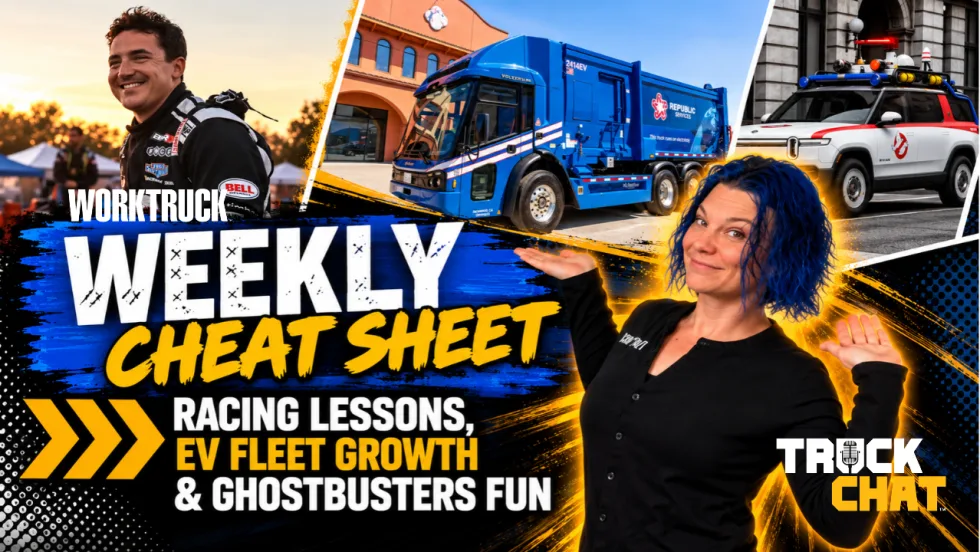
Racing Lessons, Electric Fleet Growth, and Ghostbusters Lead This Week's Work Truck News
Racing lessons for fleets, Republic Services' electric truck expansion, 40 years of fleet wisdom, truck trivia, autonomous yard trucks, and more headline this week's Truck Chat Cheat Sheet.
Read More →